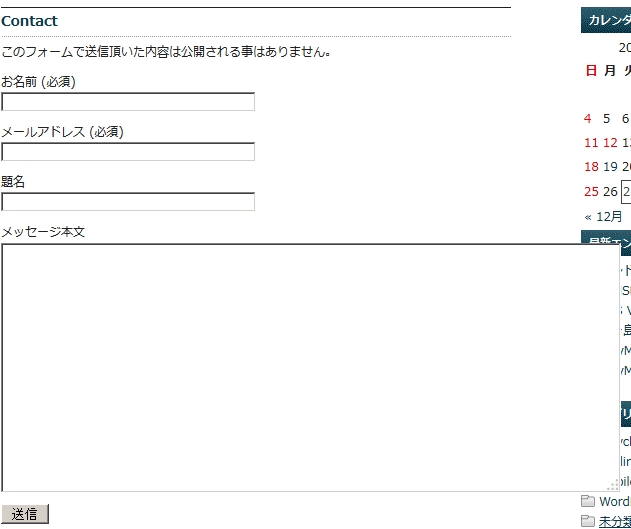
プラグイン「Contact Form 7」をバージョンアップすると、styles.cssが上書きされ、メッセージ欄がはみ出てしまいます。
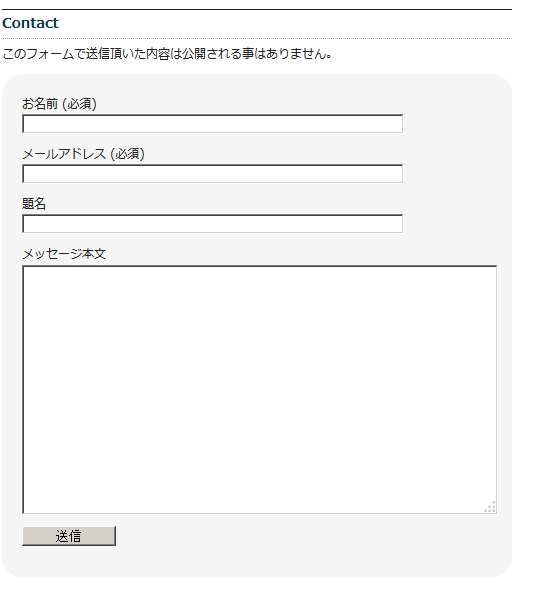
プラグインContact Form 7のディレクトリ/css/styles.cssに下記を追加
ーーーーーーーーーーーーーーーーーーーーーーーーーーーー
.wpcf7-form {
background-color: #f5f5f5;
padding: 20px;
border-radius: 20px}
.wpcf7-form span.hissu {
color: #aa0000;
font-size: smaller}
.wpcf7-form input {width: 80%}
.wpcf7-form textarea {width: 100%}
.wpcf7-form p.submit {text-align: left}
.wpcf7-form .wpcf7-submit {width: 20%}
ーーーーーーーーーーーーーーーーーーーーーーーーーーーー
元に戻しました。
プラグインがバージョンアップされたら、変更内容も上書きされてしまうから子テーマを作って編集すればよいのですが、面倒です。